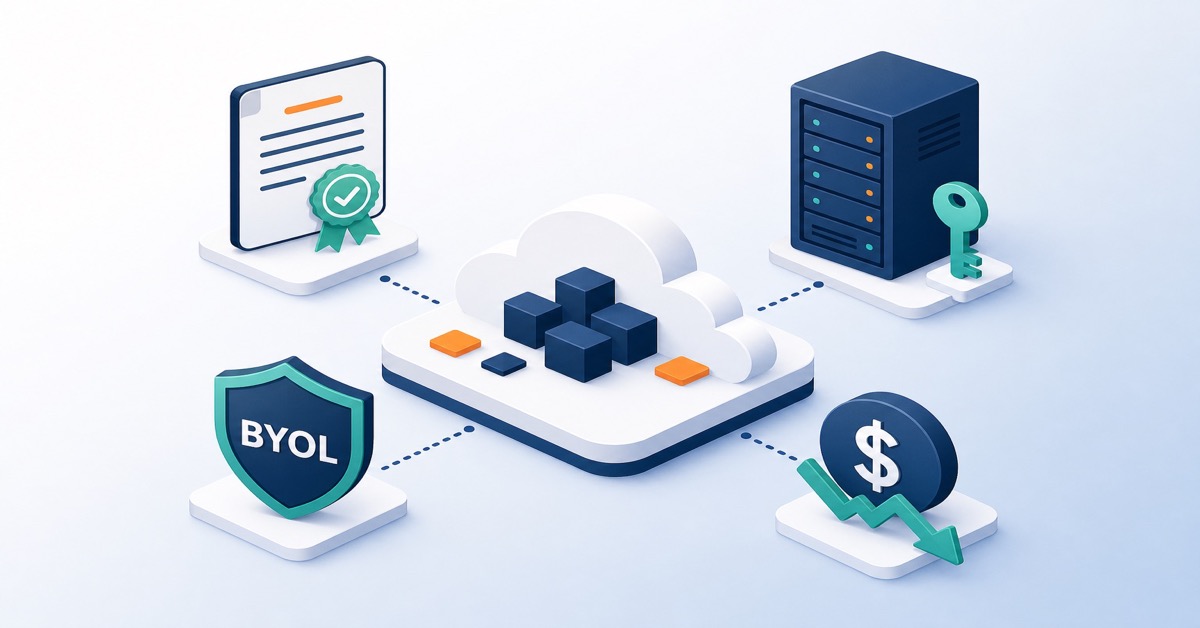
Cloud Server (AWS EC2) - Real costs, pricing models and optimisation strategies
Introduction - cloud server costs from a CTO and Architect perspective
Cloud server costs are one of the most important aspects of any decision to migrate to AWS or another provider. The question “how much does a cloud server cost” sounds simple, but the answer is multidimensional: the price depends on EC2 instance type, AWS region, operating system, pricing model, workload profile, and supporting services.
For technical decision-makers, it’s not just about comparing “on-premises vs AWS” but understanding the bill structure: which components generate the highest costs, how they behave under traffic growth, and what optimisation levers exist. In this guide we show how to calculate the real cost of a cloud server, the differences between Amazon EC2 instance types and pricing models, and specific actions to reduce your bill without compromising availability.
How much does an EC2 server cost - base rates and cost variables
The cloud server price is primarily the cost of an Amazon EC2 compute instance. However, “how much does a server cost” has no single answer because the price depends on:
- Instance type - t2.micro (1 vCPU, 1 GB RAM) is very different from c6i.2xlarge (8 vCPU, 16 GB RAM).
- AWS region - an instance in Europe (Frankfurt, Ireland) costs differently than in USA (N. Virginia) or Asia (Tokyo).
- Operating system - Linux is cheaper than Windows Server, and additional licences (SQL Server, Oracle) can dominate the cost.
- Pricing model - On-Demand, Reserved Instances, Savings Plans or Spot Instances.
Amazon EC2 - example instance prices in eu-central-1
Amazon EC2 - example instance prices in eu-central-1. To understand server costs, here are real Amazon EC2 prices (as of 2024, approximate):
Instance t2.micro (On-Demand, Linux, region: eu-central-1)
- 1 vCPU
- 1 GB RAM
- Price: ~$0.012/hour
- Monthly (720 hours): ~$8.64
Instance t3.small (On-Demand, Linux, region: eu-central-1)
- 2 vCPU
- 2 GB RAM
- Price: ~$0.024/hour
- Monthly: ~$17.28
Instance m6i.large (On-Demand, Linux, region: eu-central-1)
- 2 vCPU
- 8 GB RAM
- Price: ~$0.12/hour
- Monthly: ~$86.4
Instance c6i.xlarge (On-Demand, Linux, region: eu-central-1)
- 4 vCPU
- 8 GB RAM
- Price: ~$0.17/hour
- Monthly: ~$122.4
These prices cover only the EC2 instance itself. On top of that you pay for:
- Data transfer (Data Transfer, NAT Gateway, CloudFront).
UK and EU teams deploying in eu-west-2 (London) should note that pricing is 3-5% higher than us-east-1 (N. Virginia) for equivalent instances. For UK businesses, AWS bills in USD - at current exchange rates, a typical m6i.large works out to roughly £68/month. VAT at 20% applies on top for UK-registered businesses (recoverable if VAT-registered).
- Storage (EBS, S3).
- Supporting services (Application Load Balancer, Network Load Balancer, CloudWatch, VPN).
Always verify current rates in the official AWS documentation: docs.aws.amazon.com
How to calculate the full cost of an AWS cloud server
The server cost is not just the EC2 instance price. The full cloud server bill consists of several components that can have very different proportions depending on your architecture.
EC2 compute cost - On-Demand, RI, Savings Plans, Spot
EC2 compute cost - On-Demand, RI, Savings Plans, Spot. This is the main bill component. You have several models to choose from:
On-Demand - pay per hour (or per second) of usage
- No commitments.
- Higher price - treated as the benchmark.
- Good for tests, PoC, and unpredictable workloads.
Reserved Instances (RI) - capacity reservation for 1 or 3 years
- 30-70% discount vs On-Demand.
- Requires understanding your workload profile (steady vs variable).
- Ideal for production applications with steady load.
Spot Instances - using unused AWS capacity
- 70-90% discount vs On-Demand.
- Instance can be interrupted by AWS (2-minute warning).
- Ideal for batch jobs, big data, CI/CD agents, and interrupt-tolerant tasks.
Savings Plans - commitment to spend, not to specific instances
- Flexible - you can migrate between instance families, regions, and even services (e.g. Fargate).
- 30-72% discount vs On-Demand.
- More flexible than classic Reserved Instances.
Official EC2 pricing model documentation: docs.aws.amazon.com
Storage - EBS and S3 as a significant server cost component
Storage - EBS and S3 as a significant server cost component.
EBS (Elastic Block Storage) - block disks attached to EC2 instances
- gp3: $0.10/GB/month (cheaper and faster than gp2).
- io1: $0.125/GB + $0.065 per IOPS (for high I/O workloads).
- Example: 100 GB gp3 = $10/month.
S3 (Simple Storage Service) - object storage (backups, logs, static files)
- Standard: $0.023/GB/month.
- Infrequent Access: $0.0125/GB/month.
- Example: 1 TB = $23/month (Standard) vs $12.5 (IA).
In practice, with large volumes of logs and backups, S3 can become a major bill component if you haven’t configured lifecycle policies.
Data transfer - Data Transfer, NAT Gateway, CloudFront as “hidden” costs
Data transfer - Data Transfer, NAT Gateway, CloudFront as “hidden” costs.
NAT Gateway - outbound traffic from private subnets in VPC
- $0.045 per GB of processed data.
- Example: 1 TB = $45 just for the data processing fee.
Data Transfer - traffic between regions and to the internet
- Inter-region: $0.02/GB (transfer between AWS regions).
- Outbound to internet: $0.114/GB (first 10 TB).
CloudFront - Amazon CDN
- $0.085/GB (to the internet, in typical regions).
- Usually cheaper than direct Data Transfer from EC2.
In many AWS bills, Data Transfer out and NAT Gateway are the biggest source of “surprises”.
Supporting services - Load Balancer, CloudWatch, VPN and others
Supporting services - Load Balancer, CloudWatch, VPN and others.
- Application Load Balancer (ALB): ~$16/month + $0.006/LCU.
- Network Load Balancer (NLB): ~$16/month + $0.006/LCU.
- Elastic IP: free if attached to a running instance; $0.005/hour if unused.
- CloudWatch Logs: $0.50 per GB of ingested logs.
- VPN Connection: $0.05/hour.
For production architecture these are often essential, but their cost must be included in your server TCO.
Real-world example - how much does an application server cost on AWS EC2
Assume you want to run a simple web application in eu-central-1 (Frankfurt).
Configuration:
- 2x m6i.large server (Linux, On-Demand, eu-central-1).
- 100 GB EBS gp3.
- 50 GB S3 (Standard).
- 1 Application Load Balancer.
- 1 TB outbound traffic/month.
Monthly calculation:
| Service | Quantity | Unit price | Total/month |
|---|---|---|---|
| EC2 m6i.large | 2 | $86.4 | $172.8 |
| EBS gp3 | 100 GB | $0.10/GB | $10 |
| S3 Standard | 50 GB | $0.023/GB | $1.15 |
| Application Load Balancer | 1 | $16 | $16 |
| Data Transfer out | 1 TB | $0.114/GB | $114 |
| TOTAL | $314/month |
That’s $3,768 per year for the entire infrastructure, without any optimisation (On-Demand, no Savings Plans, no transfer optimisation). The savings potential is significant - both on the compute and network layers.
EC2 server cost - pricing model comparison: On-Demand, RI, Savings Plans, Spot
The same server (m6i.large) costs differently depending on the pricing model:
| Pricing model | Monthly cost* | Saving vs On-Demand |
|---|---|---|
| On-Demand (hourly) | $86.40 | 0% |
| Reserved Instance (1 year, all upfront) | $52.67 | 39% |
| Reserved Instance (3 years, all upfront) | $38.40 | 56% |
| Savings Plan (1 year, all upfront) | $55.55 | 36% |
| Savings Plan (3 years, all upfront) | $39.34 | 55% |
| Spot Instance (average) | $24-30 | 70-75% |
*For eu-central-1, Linux.
If your application has steady load, 3-year Reserved Instances or a well-chosen Compute Savings Plan is usually the best option - you’ll save over 50% annually vs On-Demand.
Cloud server cost - key factors affecting price
AWS geographic region - EC2 price differences between USA, Europe and Asia
AWS geographic region - EC2 price differences between USA, Europe and Asia. Amazon EC2 prices increase roughly in this order:
- USA (N. Virginia) - cheapest.
- Europe (Ireland, Frankfurt) - approx. +15-25%.
- Asia (Tokyo, Singapore) - approx. +30-50%.
- Brazil, India - up to +60-100%.
Assuming your application runs in Europe:
- Server in Ireland (eu-west-1): ~$0.108/hour.
- Same server in Frankfurt (eu-central-1): ~$0.12/hour.
- Same server in Tokyo (ap-northeast-1): ~$0.161/hour.
Region choice is a trade-off between latency, regulatory requirements (GDPR, data residency), and cost.
Processor type and EC2 instance family - t2/t3/t4g vs m6i vs c6i vs r6i
Processor type and EC2 instance family - t2/t3/t4g vs m6i vs c6i vs r6i.
- t2, t3, t4g - general-purpose burstable instances, cheaper, good for variable and low average CPU load.
- m6i, m7i - general-purpose business instances, balanced CPU/RAM, mid-range price.
- c6i, c7i - compute-optimised, pricier, but better vCPU-to-cost ratio for CPU-bound workloads.
- r6i, r7i - memory-optimised, most expensive, but essential for large in-memory databases.
Key question: do you actually need that large an instance? Many companies overpay for oversized EC2 instances because they don’t perform systematic rightsizing.
Operating system and licences - Linux vs Windows, SQL Server, Oracle
Operating system and licences - Linux vs Windows, SQL Server, Oracle.
- Linux (Red Hat, Ubuntu, Amazon Linux): cost = vCPU + RAM (no additional licences).
- Windows Server: +$0.01-0.05/hour.
- SQL Server licence: +$0.25-0.75/hour (depending on edition).
- Oracle licence: very expensive, often bring-your-own-licence model.
In production environments, licences can be a larger cost component than the compute power itself.
EC2 instance usage time - impact of schedules on cost
EC2 instance usage time - impact of schedules on cost. In AWS you only pay for what you use. A simple schedule can reduce your bill by tens of percent:
- Server On-Demand 24/7: 30 x 24 = 720 hours.
- Server shut down from 19:00 to 07:00 (12 hours/day): 30 x 12 = 360 hours.
- Saving: 50% - assuming the server doesn’t need to run around the clock.
For test and development environments, schedules are one of the simplest cost reduction methods.
How to reduce AWS cloud server costs - practical FinOps strategies
Choosing Reserved Instances or Savings Plans for steady workloads
Choosing Reserved Instances or Savings Plans for steady workloads. If you know you’ll need a server for the next 12-36 months, purchasing RI or a Savings Plan is the easiest way to achieve 30-55% savings.
Practical implementation scenario:
- Launch the application on On-Demand.
- Wait 2-3 weeks until usage stabilises (collect CPU, RAM, traffic metrics).
- Based on the data, purchase Reserved Instances or Savings Plans for the steady portion.
- Handle remaining peaks with On-Demand or Spot.
Using Spot Instances for variable, interrupt-tolerant workloads
Using Spot Instances for variable, interrupt-tolerant workloads. Spot Instances are ideal for:
- CI/CD pipelines (builds, tests).
- Batch processing (ETL, reports).
- Machine learning training and AWS LLM inference.
- Temporary caches and workers.
You’ll save 70-90%, but must handle interruptions - the application should be stateless or have retry mechanisms.
Auto Scaling EC2 instances - Auto Scaling Groups
Auto Scaling EC2 instances - Auto Scaling Groups. Don’t buy capacity “just in case”. Use Auto Scaling Groups to match instance count to actual load:
# Simplified Auto Scaling Group configuration (CloudFormation)
Resources:
  AppAutoScalingGroup:
    Type: AWS::AutoScaling::AutoScalingGroup
    Properties:
      MinSize: 0
      MaxSize: 4
      DesiredCapacity: 2
      LaunchTemplate:
        LaunchTemplateId: !Ref AppLaunchTemplate
        Version: !GetAtt AppLaunchTemplate.LatestVersionNumber
      MetricsCollection:
        - Granularity: "1Minute"
      TargetGroupARNs:
        - !Ref AppTargetGroup
This model can reduce costs by 40-60%, especially with seasonal or daily traffic peaks.
Storage and disk optimisation - EBS, S3, RDS
Storage and disk optimisation - EBS, S3, RDS.
- EBS: switch from gp2 to gp3 - lower cost per GB with better performance; adjust IOPS to actual needs.
- S3: move infrequently accessed data to S3 Glacier or Glacier Deep Archive; configure lifecycle policies.
- RDS: if high availability isn’t required, consider moving from Multi-AZ to Single-AZ (consciously, considering RTO/RPO).
Monitoring unused resources - Compute Optimizer and Cost Explorer
Monitoring unused resources - Compute Optimizer and Cost Explorer. Many companies pay for:
- Old EBS snapshots.
- Elastic IPs not attached to instances.
- Unused NAT Gateways.
- Forgotten Security Groups and Load Balancers.
Use AWS Compute Optimizer and AWS Cost Explorer - AWS provides free optimisation recommendations and flags unused resources. AWS cost tools documentation: docs.aws.amazon.com
Rightsizing - moving to smaller or cheaper instances (t3/t4g, Graviton)
Rightsizing - moving to smaller or cheaper instances (t3/t4g, Graviton). t3g/t4g instances (Graviton, ARM) are burstable instances great for applications that don’t need full CPU power continuously. They save 20-70% vs classic x86 instances, provided your technology stack is ARM-compatible.
Free tools for AWS cost calculation and analysis
AWS Pricing Calculator - planning server costs before deployment
AWS Pricing Calculator - planning server costs before deployment. AWS Pricing Calculator (available at calculator.aws) lets you:
- Select AWS regions.
- Define EC2 instances, EBS, S3, Load Balancers, and data transfer.
- Factor in Reserved Instances and Savings Plans.
- Export cost reports for further analysis.
It’s the most precise tool for budget planning before migration or a new project.
AWS Cost Explorer - analysing actual spending and trends
AWS Cost Explorer - analysing actual spending and trends. If you already have an AWS account, Cost Explorer shows:
- Actual spending broken down by service, tags, and accounts.
- Trends (increasing or decreasing, seasonality).
- Optimisation recommendations (e.g. “buy a Reserved Instance for this instance”).
For FinOps and DevOps teams, this is the fundamental tool for ongoing cost management.
Third-party tools - Infracost, CloudZero, Kubecost
Third-party tools - Infracost, CloudZero, Kubecost.
- Infracost - estimates infrastructure costs described in Terraform/CloudFormation before deployment (shift-left for costs).
- CloudZero - cost tracking per application, team, or feature (cost allocation).
- Kubecost - detailed Kubernetes cost analysis (EKS, self-managed) on AWS.
Integrating these tools with CI/CD pipelines lets you treat cost as a first-class metric alongside performance and security.
Cloud server cost - engineering Q&A
Is Amazon EC2 cheaper than on-premises servers?
It depends on scale and workload profile. For small workloads (1-3 servers) AWS can be nominally more expensive, but provides flexibility and eliminates CapEx. For enterprises with hundreds of servers, AWS usually wins on TCO (no hardware, data centre, energy, or on-site staff costs), provided you actively manage costs.
When should I buy a Reserved Instance or Savings Plan?
When you’re confident you’ll need specific compute capacity for at least 12 months. 3-year Reserved Instances or a 3-year Savings Plan is usually the best deal - you’ll save up to ~56% vs On-Demand, accepting a longer commitment.
Are Spot Instances reliable for production?
Yes, but only for components that can “respawn” after interruption (stateless, with retry mechanisms and buffering). Use Spot for CI/CD, batch jobs, caches, and workers; avoid them as the sole layer for databases or critical APIs without proper failover and an On-Demand/Spot mix.
What are the most common “hidden” AWS costs with EC2 servers?
The biggest surprises are usually:
- Data Transfer out ($0.114/GB) - especially with heavy HTTP/HTTPS traffic.
- NAT Gateway ($0.045/GB) - for private subnets in VPC.
- Load Balancer - fixed cost for ALB/NLB + LCU charges.
- EBS snapshots and CloudWatch logs - accumulating in the background without retention policies.
Can I migrate between instance types without financial penalties?
Yes. Savings Plans are inherently flexible - you commit to a spending level, not a specific instance type. For Reserved Instances, the Convertible RI option lets you change type, size, or instance family within defined rules without losing your discount.
What’s the difference between t3 and t3g (Graviton) instances?
t3g uses ARM (AWS Graviton) processors instead of x86. They’re cheaper (approx. 20% savings) and more energy-efficient, offering comparable or better performance for many workload types. The prerequisite is ARM compatibility of your application stack.
Additional practical questions about smallest server cost and migration
How much does the smallest AWS cloud server cost?
t2.micro in N. Virginia is approx. $0.0116/hour, or ~$8.35/month On-Demand (at 720 hours). AWS offers 750 hours of t2.micro free for the first year under the Free Tier, letting you test services at no cost.
Do AWS prices go down or up over time?
Historically AWS reduces prices for selected services every 1-2 years, but your bill may still grow as you scale infrastructure and add services. Regular monitoring via AWS Cost Explorer and implementing FinOps processes is key, rather than relying on price trends alone.
Is it worth migrating from on-premises to AWS from a cost perspective?
If you have large, steady workloads and fully depreciated on-premises infrastructure, AWS may be more expensive in a pure server cost comparison. However, AWS provides flexibility, scalability, automation, backup, global reach, and no CapEx - for most organisations the business case is positive, especially with good cost management.
What are the alternatives to Amazon EC2 and how do they compare on price?
Alternatives include Azure Virtual Machines, Google Cloud Compute Engine, DigitalOcean, and Hetzner. Prices are similar for the same service class but differ in discount models and billing details. Amazon EC2 is often the pricing benchmark for the industry, so comparisons should be made at the specific workload level, not just nominal rates.
Can I negotiate AWS prices at larger scale?
Yes. For larger organisations, AWS offers discounts through Enterprise Support, Enterprise Discount Program agreements, and programmes like AWS Activate for startups. It’s worth engaging AWS sales when your annual spend exceeds certain thresholds.
Summary
- Define full cloud server cost as the sum of: EC2 + EBS + S3 + Data Transfer (incl. NAT Gateway, CloudFront) + supporting services (ALB/NLB, CloudWatch, VPN).
- For steady workloads use Reserved Instances or Savings Plans to reduce EC2 costs by 30-55% vs On-Demand.
- For interrupt-tolerant tasks use Spot Instances to cut compute costs by up to 70-90%.
- Implement Auto Scaling, environment shutdown schedules, and instance rightsizing (including Graviton migration) to avoid paying for unused capacity.
- Systematically monitor costs using AWS Cost Explorer, Compute Optimizer, and third-party tools (Infracost, Kubecost), and use AWS Pricing Calculator before new projects.
If you want to move from one-off “cost cutting” to continuous, engineering-driven cloud spend management, consider working with a partner that combines architectural perspective with FinOps. At Devopsity we help design and optimise AWS environments so that bills are predictable and aligned with business value - see how we can support your team through our FinOps (Cost Optimisation) service.