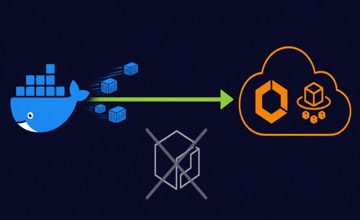
supabase start is failing with a 403 Forbidden from public.ecr.aws, the fix is straightforward. You can override the image registry to pull from Docker Hub instead.
Why public.ecr.aws returns 403
The Supabase CLI defaults to pulling container images from public.ecr.aws. This is Amazon’s public Elastic Container Registry, and in many environments it simply doesn’t work.
Common causes of the 403 error:
- Corporate firewalls and VPNs that block access to AWS public endpoints.
- Regional restrictions. Some networks in certain regions throttle or block ECR public access entirely.
- CI environments where outbound access is limited to a known set of registries (Docker Hub, GHCR) but not ECR.
- Rate limiting. AWS applies pull rate limits to public ECR, and shared IPs in cloud-hosted dev environments can exhaust these quickly.
The result is the same: supabase start hangs or fails with a 403 Forbidden, and your local development environment won’t come up.
The fix: override the image registry
Set the SUPABASE_INTERNAL_IMAGE_REGISTRY environment variable to tell the CLI to pull from Docker Hub instead of public.ecr.aws.
One-off usage:
SUPABASE_INTERNAL_IMAGE_REGISTRY=docker.io supabase start
This pulls all Supabase images from Docker Hub for that single invocation. The images are the same, just hosted on a different registry.
To make the override permanent, add it to your shell profile (~/.bashrc, ~/.zshrc, or equivalent):
export SUPABASE_INTERNAL_IMAGE_REGISTRY=docker.io
Then reload your shell or run source ~/.zshrc. Every subsequent supabase start will use Docker Hub automatically.
The permanent fix: build and host your own images
The registry override gets you unblocked immediately. But for production workloads, relying on any public registry (Docker Hub, GHCR, or public.ecr.aws) is a risk. The permanent solution is to own your images.
The approach is straightforward. Create a minimal Dockerfile for each Supabase service:
FROM supabase/postgrest:v12.2.3
# That's it for a basic rebuild
Then push to your own private registry (ECR, GHCR, or any registry you control). This gives you:
- No dependency on any public registry. Your production environment never reaches out to Docker Hub, GHCR, or public.ecr.aws. If any of them go down or block you, nothing breaks.
- Vulnerability scanning. Amazon Inspector, Trivy, or Snyk can scan your images on every build. You know exactly what’s running.
- Security patching. Add certificates, apply OS-level fixes, or harden the base image. Many compliance frameworks require this.
- Image signing. AWS Signer integrates with ECR to verify image provenance. You can enforce that only signed images from your pipeline run in production.
- Supply chain visibility. You control what enters your environment. No surprise upstream changes, no unverified layers from Docker Hub. See our security and compliance services for how we implement this for regulated environments.
The CI pipeline builds, scans, signs, and pushes on a schedule (or triggered by upstream releases). Your docker-compose.yml or ECS task definitions reference your private registry. Done.
For teams running Supabase on AWS, ECR with pull-through cache is a middle ground: it caches upstream images locally in your account, gives you Inspector scanning, and keeps everything within your VPC. No 403 errors, no rate limits. See our self-hosting Supabase on AWS guide for the full architecture.
This is more setup than a one-line environment variable, but it’s the approach that scales and satisfies auditors.
Alternative: use GHCR
GitHub Container Registry is another option, especially if your network already allows access to ghcr.io:
SUPABASE_INTERNAL_IMAGE_REGISTRY=ghcr.io supabase start
GHCR has no pull rate limits for public images, making it a solid choice for CI pipelines that already authenticate with GitHub.
config.toml approach
If you’re running Supabase CLI v2 or later, you can set the registry override in your project’s supabase/config.toml so every team member gets the same configuration without needing environment variables:
[api]
# ... existing config

[experimental]
image_registry = "docker.io"
This keeps the override version-controlled and consistent across machines. Check the Supabase CLI configuration reference for the exact syntax in your CLI version, as the config structure has evolved between releases.
Docker Compose workaround (self-hosting)
For self-hosted Supabase deployments that use Docker Compose directly (not the CLI), the image references live in your docker-compose.yml. Replace the ECR prefixes with Docker Hub or GHCR equivalents.
Before:
services:
  auth:
    image: public.ecr.aws/supabase/gotrue:v2.158.1
  rest:
    image: public.ecr.aws/supabase/postgrest:v12.2.3
  realtime:
    image: public.ecr.aws/supabase/realtime:v2.30.34
After (Docker Hub):
services:
  auth:
    image: supabase/gotrue:v2.158.1
  rest:
    image: supabase/postgrest:v12.2.3
  realtime:
    image: supabase/realtime:v2.30.34
Or using GHCR:
services:
  auth:
    image: ghcr.io/supabase/gotrue:v2.158.1
  rest:
    image: ghcr.io/supabase/postgrest:v12.2.3
  realtime:
    image: ghcr.io/supabase/realtime:v2.30.34
The version tags remain the same. Only the registry prefix changes. For a full walkthrough of self-hosting without ECR, see our guide to self-hosting Supabase on AWS without ECR.
Verifying the fix
After running supabase start with the registry override, confirm images pulled from the correct source:
docker images | grep supabase
You should see entries like:
supabase/postgres       15.6.1.143   abc123def456   2 days ago   1.2GB
supabase/gotrue         v2.158.1     789ghi012jkl   3 days ago   45MB
supabase/postgrest      v12.2.3      345mno678pqr   5 days ago   22MB
If the REPOSITORY column shows supabase/ (no public.ecr.aws prefix), Docker Hub was used. For GHCR, entries show ghcr.io/supabase/ as the prefix.
Get help with production Supabase hosting
Whether you need the quick Docker Hub override for your dev environment or the full production setup with private registries, image scanning, and signing, our cloud migration team can help. We build the CI pipeline that rebuilds, scans, and delivers Supabase images to your own registry on every upstream release.