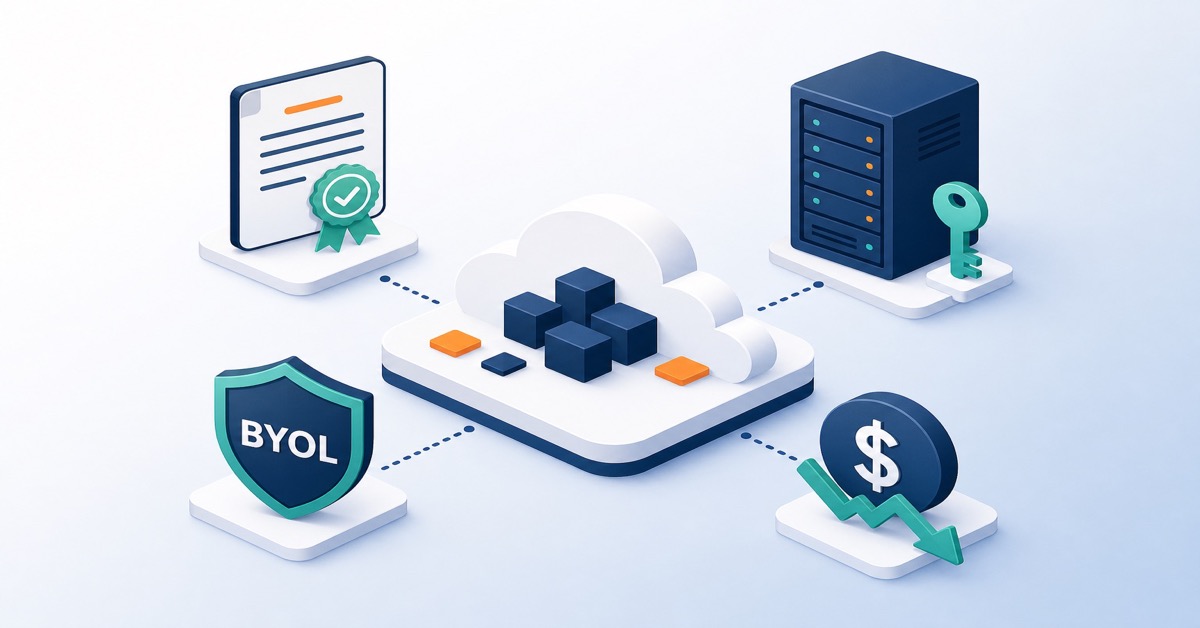
IT Cost Optimisation in AWS and Azure: A Practical FinOps Guide for DevOps Teams
Introduction: Cloud Cost Optimisation in AWS and Azure as a DevOps Responsibility
IT cost optimisation is one of the most persistent, recurring challenges for DevOps teams and cloud architects. Infrastructure spending in AWS and Azure can spiral out of control very quickly, particularly when a clear strategy, FinOps processes, and monitoring tools are absent.
IT cost optimisation is the systematic process of identifying and eliminating waste in cloud infrastructure spending without degrading service quality. It is not about cutting costs blindly, but about intelligent resource management based on data and business risk.
In the audits we conduct, most teams overspend on cloud by 20–40%. The most common problems are:
- Unused EC2 instances or virtual machines running 24/7
- Oversized resources with no utilisation analysis
- No automation to shut down test environments
- Data stored in more expensive storage classes
- No long-term resource reservations
- No cost visibility at project and team level (tagging, chargeback/showback)
Adopting DevOps practices across the entire organisation also means taking ownership of costs. FinOps - the financial management of cloud operations - becomes an integral part of every developer’s and infrastructure engineer’s work.
Problem Analysis: Where Cost Waste Originates in AWS and Azure
Common Sources of Excessive AWS Costs (EC2, S3, NAT Gateway, Snapshots)
In AWS environments, the most frequent issues we observe are:
- Oversized EC2 instances:
- production instances over-provisioned “just in case”
- dev/test instances running 24/7, despite being used only 8–10 hours a day
- Misuse of NAT Gateway:
- a separate NAT Gateway in every Availability Zone without genuine need
- no analysis of data processing fees and egress traffic
- S3 and EBS storage:
- old EBS snapshots with no retention policies
- logs and archives in S3 Standard instead of Glacier/Intelligent-Tiering
- No Reserved Instances or Savings Plans:
- 100% of workloads running On-Demand despite predictable load
- Cross-region and cross-AZ transfers:
- unknowingly generating data transfer costs between regions and Availability Zones
Common Sources of Excessive Azure Costs (VMs, Storage, Licences, Networking)
In Azure environments, the main issues are:
- Virtual Machines (Azure VMs):
- not using Reserved Instances or Savings Plans
- not using Azure Spot VMs for batch/CI/CD
- Microsoft licences:
- Azure Hybrid Benefit not enabled despite holding Windows/SQL licences
- Storage and backup:
- no retention policies for backups and snapshots
- archival data stored in expensive storage tiers
- Networking and managed services:
- unused public IPs, NICs, load balancers
- lack of resource consolidation and governance in Azure Resource Manager
Why the Classic “Just Cut Costs” Approach Fails in the Cloud
Blunt cost cutting (disabling backups, reducing replica count, removing monitoring) leads to:
- increased risk of outages and data loss
- no visibility into performance issues
- rising “hidden” costs (incidents, downtime, manual toil)
In the cloud, cost optimisation must be:
- metrics-driven - based on CPU, RAM, IOPS, latency, throughput
- automated - leveraging autoscaling, scheduling, Infrastructure as Code
- continuous - with monthly reviews and annual audits
AWS Cost Optimisation - Key Strategies for EC2, S3, and Managed Services
EC2 Reserved Instances and AWS Savings Plans - When and How to Use Them
AWS offers three main instance purchasing models:
- On-Demand - pay per hour of usage, the most expensive option
- Reserved Instances (RI) - commit to 1 or 3 years, save 30–60%
- Spot Instances - use spare compute capacity, save 70–90%, but the instance can be reclaimed
For steady-state workloads (databases, production applications, stable APIs), Reserved Instances or Compute Savings Plans are a mandatory step. If your workload is unpredictable or you want flexibility across instance types, choose Savings Plans.
Example: if monthly EC2 spending is £8,000 (approximately €9,300 / $10,000), Reserved Instances can save £2,400–£4,800 per month while delivering the same performance.
Official EC2 pricing documentation: docs.aws.amazon.com
Rightsizing EC2 Instances Using CloudWatch Metrics
Most teams over-provision resources “just in case.” The solution is systematic use of Amazon CloudWatch and AWS Compute Optimiser.
Steps to rightsize:
- Analyse CPU, RAM, I/O, and network metrics over 2–4 weeks.
- Identify actual peak utilisation (e.g. 60–70% CPU, 50% RAM).
- Downsize the instance based on the data (e.g. from
t3.largetot3.medium). - Monitor performance for one month, setting alarms on key metrics.
- Once stable, lock in savings with Reserved Instances or Savings Plans.
Example: moving from m5.xlarge (0.192 USD/h) to m5.large (0.096 USD/h) for a database application yields a 50% cost reduction if the database is not using its full capacity.
Sample autoscaling policy based on CPU metrics:
# Sample AWS Auto Scaling Group (ASG) configuration
# Scale based on average CPU > 60% over 5 minutes

AutoScalingGroup:
  Type: AWS::AutoScaling::AutoScalingGroup
  Properties:
    MinSize: 2                # minimum instance count
    MaxSize: 10               # maximum instance count
    DesiredCapacity: 3        # starting instance count
    TargetGroupARNs:
      - arn:aws:elasticloadbalancing:... # link to ALB/NLB
    MetricsCollection:
      - Granularity: "1Minute" # metrics collection frequency
    Tags:
      - Key: CostCenter        # tagging for FinOps/chargeback
        Value: backend-api
        PropagateAtLaunch: true

CpuScaleOutPolicy:
  Type: AWS::AutoScaling::ScalingPolicy
  Properties:
    AutoScalingGroupName: !Ref AutoScalingGroup
    PolicyType: TargetTrackingScaling
    TargetTrackingConfiguration:
      TargetValue: 60.0        # target CPU utilisation %
      PredefinedMetricSpecification:
        PredefinedMetricType: ASGAverageCPUUtilization
      ScaleOutCooldown: 300    # cooldown after scale-out (seconds)
      ScaleInCooldown: 300     # cooldown after scale-in (seconds)
Automation and Scheduling for Dev/Test Environments in AWS
Test and development instances running overnight and at weekends are pure waste. A typical pattern:
- dev/test used 8–10 hours a day, 5 days a week
- no automatic shutdown outside working hours
We implement automation using:
- AWS Lambda + Amazon EventBridge (CloudWatch Events) to shut down dev instances at 18:00, start them at 07:00
- AWS Systems Manager Automation for rapid operations across many resources (e.g. tag-based stop/start)
- Terraform + serverless functions to automatically destroy resources older than X days
Sample Lambda function (Python) stopping instances with a specific tag:
# AWS Lambda function: stopping EC2 instances tagged Environment=dev
# Triggered on a schedule by EventBridge (e.g. daily at 18:00)

import boto3

ec2 = boto3.client("ec2")

def lambda_handler(event, context):
    # Find instances tagged Environment=dev in 'running' state
    response = ec2.describe_instances(
        Filters=[
            {"Name": "tag:Environment", "Values": ["dev"]},
            {"Name": "instance-state-name", "Values": ["running"]},
        ]
    )

    instance_ids = [
        i["InstanceId"]
        for r in response["Reservations"]
        for i in r["Instances"]
    ]

    if not instance_ids:
        return {"stopped": 0}

    # Stop the discovered instances
    ec2.stop_instances(InstanceIds=instance_ids)

    return {"stopped": len(instance_ids)}
Savings: if a dev cluster costs £4,000/month (approx. €4,700), restricting operation to 8 hours a day, 5 days a week reduces the cost to roughly £1,200.
Optimising AWS S3 and Storage (Lifecycle, Glacier, Intelligent-Tiering)
AWS S3 is convenient, but without policies it quickly becomes one of the biggest cost drivers. Typical problems:
- no lifecycle policies for logs and archives
- storing many object versions unnecessarily
- no log compression
Strategies:
- Lifecycle policies - move old data to S3 Glacier or Glacier Deep Archive.
- Compression - compress logs (gzip, zstd) before upload.
- Intelligent-Tiering - automatically move objects between storage classes.
- Inventory and Analysis - S3 Storage Lens reveals which buckets cost the most.
Archival data can cost 0.004 USD per GB (Glacier) instead of 0.023 USD (Standard) - an 82% saving.
Sample lifecycle policy for logs:
{
  "Rules": [
    {
      "ID": "logs-archive-and-expire",
      "Status": "Enabled",
      "Filter": {
        "Prefix": "logs/"          // applies only to objects in logs/
      },
      "Transitions": [
        {
          "Days": 30,              // after 30 days
          "StorageClass": "STANDARD_IA"  // move to cheaper class
        },
        {
          "Days": 90,              // after 90 days
          "StorageClass": "GLACIER"      // archive to Glacier
        }
      ],
      "Expiration": {
        "Days": 365               // delete entirely after 365 days
      }
    }
  ]
}
Official Amazon S3 documentation: docs.aws.amazon.com
Native AWS Tools for Cost Tracking and Recommendations
Every AWS team should use:
- AWS Cost Explorer - visualise spending by service, region, and tag
- AWS Budgets - alerts when cost or usage exceeds a threshold
- AWS Trusted Advisor - optimisation recommendations (including cost, in paid tier)
- AWS Compute Optimiser - identifies oversized EC2, EBS, and Lambda resources
Best practices:
- grant Cost Explorer access to tech leads and product owners
- review cost trends daily or weekly
- enforce cost tags (e.g.
CostCenter,Project,Owner) via IaC
Azure Cost Optimisation - Reservations, Azure Spot VMs, and Governance
Azure Reservations, Savings Plans, and Azure Hybrid Benefit
Azure offers similar mechanisms to AWS:
- Pay-as-you-go - standard rate, full flexibility.
- Reserved Instances - 1 or 3 years, savings of 30–72%.
- Azure Hybrid Benefit - use existing Microsoft licences (Windows Server, SQL Server) to lower costs.
- Savings Plans - flexible commitment plans not tied to a specific VM size.
Services such as Azure Virtual Machines, Azure App Service, and Azure SQL Database can be significantly cheaper with reservations and Hybrid Benefit.
Recommendations:
- enable Azure Cost Management from the start of every project
- use Budget Alerts - notifications when thresholds are breached
- enforce resource tagging (department, project, owner, environment)
- regularly review unused resources (disks, IPs, NICs, load balancers)
Official Azure documentation: learn.microsoft.com
Optimising Azure Instances with Azure Spot VMs
Azure Spot VMs are unused capacity available at up to 90% below standard pricing. Ideal for:
- batch processing
- CI/CD agents
- test environments
- data science workloads, ML experiments
Risk: Azure can reclaim the instance with 30 seconds’ notice. This is usually unacceptable for production, but perfect for dev/test and idempotent tasks.
Sample Azure Spot VM definition in ARM/Bicep (excerpt):
// Sample Azure Spot VM for CI/CD agents

resource ciAgentVm 'Microsoft.Compute/virtualMachines@2022-03-01' = {
  name: 'ci-agent-spot-01'
  location: resourceGroup().location
  properties: {
    hardwareProfile: {
      vmSize: 'Standard_D2s_v3'        // VM size
    }
    priority: 'Spot'                   // enable Spot mode
    evictionPolicy: 'Deallocate'       // VM is stopped on eviction
    billingProfile: {
      maxPrice: -1                     // -1 = accept current spot price
    }
    osProfile: {
      computerName: 'ci-agent-spot-01'
      adminUsername: 'devops'
      adminPassword: 'ChangeMe123!'    // in practice use Key Vault/SSH
    }
    storageProfile: {
      imageReference: {
        publisher: 'Canonical'
        offer: 'UbuntuServer'
        sku: '18.04-LTS'
        version: 'latest'
      }
    }
    networkProfile: {
      networkInterfaces: [
        {
          id: nic.id                   // link to existing NIC
        }
      ]
    }
  }
}
Choosing Between Azure and AWS on Cost and Licensing
Azure is often cheaper for:
- organisations that already hold Microsoft licences (Windows Server, SQL Server)
- Windows + SQL Server applications
- integration with Office 365 and other Microsoft 365 services
AWS is often cheaper for:
- Linux workloads
- data lakes and big data (e.g. S3 + EMR)
- AI/ML workloads (rich GPU ecosystem, Bedrock, SageMaker, EKS)
- elastic, auto-scaling cloud-native applications
In practice: compare costs for your specific use case across both clouds. The difference can be 20–50% depending on architecture, licensing model, and traffic patterns.
Azure Cost Management Tools and Governance
Key Azure tools:
- Azure Cost Management - detailed spending analysis, reports, cost allocation
- Azure Advisor - recommendations for cost reduction and performance improvement
- Resource Health - resource status and potential issues
- Azure Resource Manager (ARM) - policy-driven governance, enforcing tags, limits, regions
Best practices:
- define Azure Policy to enforce cost tags and restrict VM types/sizes
- use Management Groups for centralised governance in multi-subscription organisations
- conduct regular reviews of Azure Advisor recommendations
Comparison Table: AWS vs Azure Operating Costs for Typical Services
| Service / Scenario | AWS (example) | Azure (example) | Cost Notes |
|---|---|---|---|
| Linux VM (t3.medium / eq.) | ~0.04 USD/h | ~0.04 USD/h | Costs are very similar |
| Windows VM (t3.medium / eq.) | ~0.10 USD/h | ~0.07 USD/h | Azure cheaper with licence integration |
| Managed Database | RDS MySQL | Azure Database for MySQL | Similar pricing, differences in I/O model |
| Storage (standard) | 0.023 USD/GB | 0.018 USD/GB | Azure often cheaper at standard tier |
| Bandwidth out | 0.09 USD/GB | 0.087 USD/GB | Marginal differences; volume matters |
Source: pricing analysis as at publication date. Always verify current rates using the providers’ pricing calculators.
FinOps - The Organisational Practice of Cloud Cost Optimisation
The Three Pillars of FinOps in the Context of AWS and Azure
FinOps combines financial, operational, and DevOps practices. The standard model rests on three pillars:
- Inform - gather spending data:
- Cost Allocation Tags, cost breakdown by project and team
- monthly reconciliation with finance
- reports per product, environment, region
- Optimise - identify waste and drive improvements:
- Reserved Instances, Savings Plans, Spot Instances
- instance rightsizing, dev/test scheduling
- storage and data transfer optimisation
- Operate - monitor trends and respond to anomalies:
- cost alerts (Budgets, Budget Alerts)
- analysis of sudden cost spikes (e.g. memory leak, new project)
- regular FinOps reviews with DevOps, architects, and finance
The Role of DevOps Teams in FinOps
DevOps is the first line of defence against cost growth:
- Automation:
- CI/CD pipelines should test cheaper configurations (e.g. smaller instances, Spot)
- automatic shutdown of dev/test environments outside working hours
- Monitoring:
- CloudWatch, Azure Monitor, Prometheus - tracking technical metrics
- integrating cost metrics (cost per deployment, cost per environment)
- Governance as Code:
- Policy as Code (Terraform, CloudFormation, ARM/Bicep) enforces tags, limits, regions
- standardisation of instance types and storage classes
- Education:
- the team must understand that storage costs money, networking costs money, NAT Gateway costs money
- training on AWS and Azure pricing models
Sample Terraform snippet enforcing cost tags:
# Example: enforcing cost tags for AWS resources via a Terraform module

variable "default_tags" {
  type = map(string)
  default = {
    CostCenter  = "unknown"   # default cost centre
    Owner       = "unknown"   # default owner
    Environment = "dev"       # default environment
  }
}

provider "aws" {
  region = "eu-west-2"

  default_tags {
    tags = var.default_tags  # automatically adds tags to all resources
  }
}
Building a Culture of Cloud Cost Ownership
Leading organisations:
- hold monthly cost reviews at team/project level
- gamify the process - set cost reduction targets, reward the best optimisations
- maintain full transparency - everyone knows how much their project costs per month
- grant appropriate access - developers have access to Cost Explorer / Cost Management
This shifts the conversation from “why are we paying so much for cloud?” to “how do we optimise cost per feature / per user?”
Practical Steps to Implement Cost Optimisation in AWS and Azure
Week 1: Cost and Resource Audit
- Export 3 months of data from AWS Cost Explorer or Azure Cost Management.
- Identify the top 3–5 services driving the largest spend.
- Compare actual costs against expectations (budget, forecasts).
- Find instances older than 30 days with no metric changes (no scaling, no config changes).
- Identify unused resources (disks, IPs, snapshots, load balancers).
Weeks 2–3: Optimisation Plan and Savings Estimates
- Compile a list of recommendations:
- Reserved Instances / Savings Plans
- instance rightsizing
- dev/test scheduling
- storage lifecycle policies
- Estimate savings for each recommendation (monthly and annual).
- Assess impact on performance and risk (RTO/RPO, SLA).
- Prioritise recommendations by savings/risk/effort ratio.
Week 4: Controlled Implementation
- Roll out changes to dev/test environments first.
- Monitor for 2 weeks:
- performance metrics (CPU, RAM, latency)
- business metrics (response time, error rates)
- If everything is stable, apply changes to production.
- Document results (savings, SLA impact, lessons learned).
Ongoing FinOps Process
- Monthly cost review with DevOps, architects, and finance.
- Annual infrastructure audit (architecture, instance types, storage, networking).
- Educate the team on new offerings (new instance types, new storage classes, new savings plans).
- Update IaC standards and governance policies.
Mistakes to Avoid When Optimising Cloud Costs
Cutting Costs at the Expense of Security and Reliability
What not to do:
- disabling backups or shortening retention below business requirements
- reducing production system replica counts below the required SLA
- removing monitoring and alerting
What to do:
- optimise dev/test and ephemeral environments
- move old data to cheaper storage classes
- reduce redundancy where it is excessive (e.g. too many NAT Gateways)
Ignoring Cost Growth Trends
If costs are rising 15% month on month, you need to find the cause. It is usually:
- a new project or feature with no cost budget
- a memory leak or uncontrolled autoscaling
- no limits on serverless or managed services
Missing Tags and Cost Allocation
Without tags you cannot tell which project or department is generating cost. This prevents:
- chargeback/showback
- meaningful conversations with product owners
- prioritisation of optimisation efforts
Enforce tags at IaC and policy level (AWS Organisations, Azure Policy).
Buying All Reserved Instances at Once
Mistake: purchasing 3-year reservations for technology that may change within 12–18 months.
Better approach:
- reserve gradually (e.g. 30–50% of predicted workload to start)
- mix models: part On-Demand, part Reserved, part Savings Plans
- regularly review reservation coverage and adjust to actual usage
Frequently Asked Questions (FAQ) About IT Cost Optimisation in AWS and Azure
What are the biggest areas of cost waste in AWS?
Based on our audits: (1) reserved capacity not utilised at 100%, (2) forgotten dev instances running 24/7, (3) excessive network redundancy (e.g. a NAT Gateway per Availability Zone without need), (4) old snapshots and backups with no retention, (5) cross-region data transfer. Additionally, missing S3 lifecycle policies and oversized RDS instances are common.
Are Reserved Instances in AWS and Azure worth a 3-year commitment?
For stable workloads (databases, load balancers, critical APIs) - absolutely, savings of 50%+ are typical. For applications that may change technologically or architecturally, it is better to start with Savings Plans or 1-year reservations and mix models (part On-Demand, part Reserved).
How quickly can investment in cloud cost optimisation pay back?
For a mid-size team (12–24 people, spending £40,000–£120,000/year; approximately €47,000–€140,000), payback typically appears in month 2–3 from starting the FinOps initiative. The fastest, largest savings come from instance rightsizing, Reserved Instances/Savings Plans, and dev/test scheduling.
Is Azure always cheaper than AWS for infrastructure costs?
No. For Linux workloads and AWS-native services (S3, DynamoDB, Lambda), AWS is very cost-competitive. Azure has an edge for Windows/SQL Server and organisations with existing Microsoft licences and strong integration with the Microsoft 365 ecosystem. Always compare costs for your specific use case and architecture.
What tools for monitoring AWS and Azure costs are worth adopting?
For most organisations, native tools suffice: AWS Cost Explorer and AWS Budgets alongside Azure Cost Management and Budget Alerts. For Kubernetes environments, consider Kubecost. For large multi-cloud estates, tools such as CloudHealth or Densify add an analytics and ML recommendation layer.
Is cloud cost optimisation a one-off project?
No - it is a continuous process. Services, prices, and your infrastructure change over time, so a one-off project yields only a short-lived benefit. Plan for monthly cost reviews, annual architecture audits, and regular updates to IaC standards and FinOps policies.
Summary
- IT cost optimisation in AWS and Azure requires a combination of data (metrics, cost reports), strategy (Reserved Instances, Savings Plans, Spot Instances, rightsizing, scheduling), and automation (DevOps, IaC, governance policies).
- The largest savings (25–40% within 6–12 months) come from oversized instances, lack of reservations, unmanaged dev/test environments, and sub-optimal storage.
- FinOps is not just tooling but above all a process and a culture - cost accountability must sit within engineering teams, not solely in finance.
- AWS and Azure offer mature, native tools for cost analysis and recommendations, but their effectiveness depends on tagging quality, governance, and operational discipline.
- Avoid cutting costs at the expense of security and reliability - optimise primarily in low-business-risk areas (dev/test, archives, excessive redundancy).
Considering an audit or looking to comprehensively optimise your environment in this area? The Devopsity engineering team can help you implement architectural best practices. Learn about our FinOps (Cost Optimisation) service and take full control of your IT infrastructure.